Advanced Search
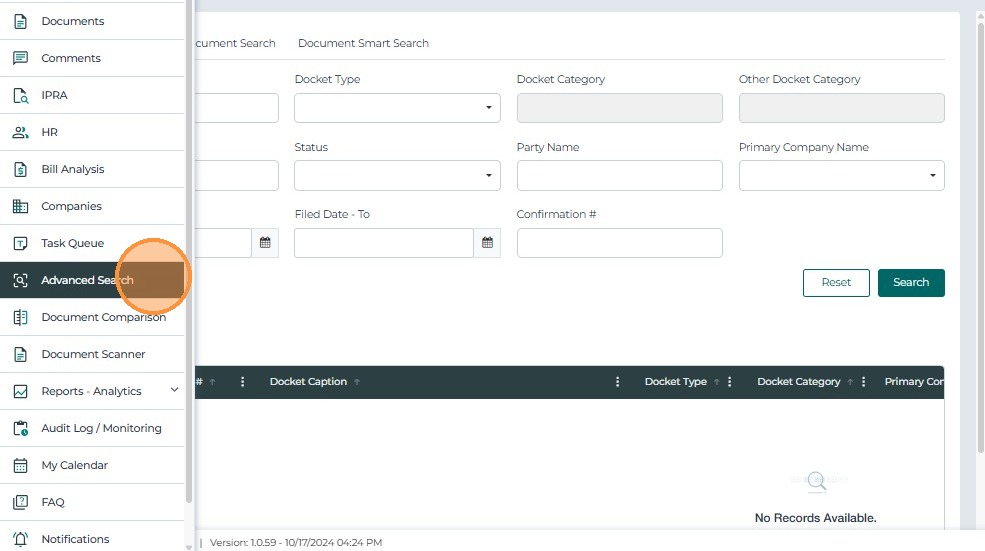
Advanced Search
The Advanced Search feature enables users to find cases and documents using text-based and metadata filters.
Docket Search
Use the filters to search for specific cases.
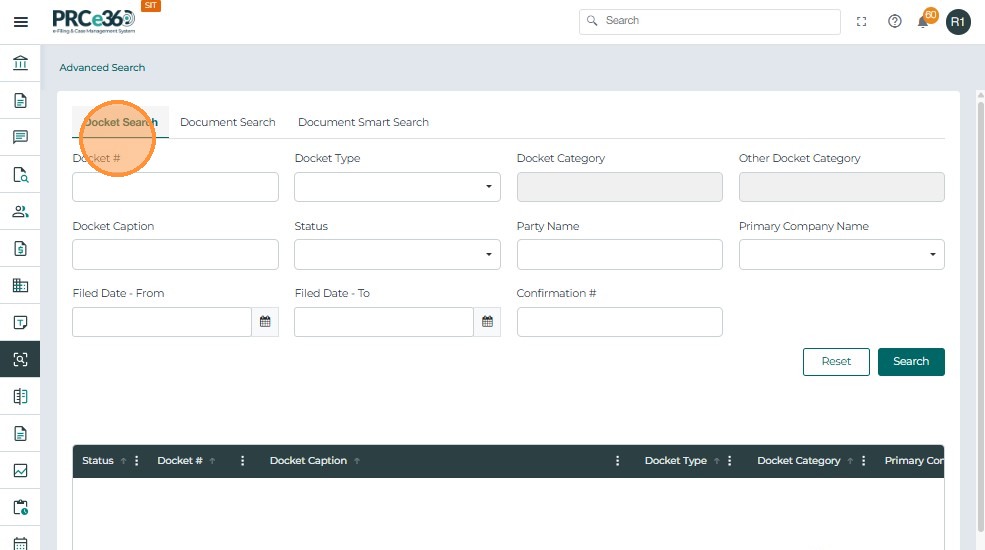
| Filter | Functionality |
|---|---|
| Docket Number | Search by docket ID. |
| Case Caption | Search by case title or caption. |
| Case Type / Category | Filter by classification or subtype. |
| Party Name / Primary Company | Search by party or company name. |
| Filed Date | Filter by filing date. |
| Confirmation Number | Search using the confirmation ID. |
| Status | Filter by case status. |
After selecting filters, click Search to display results.
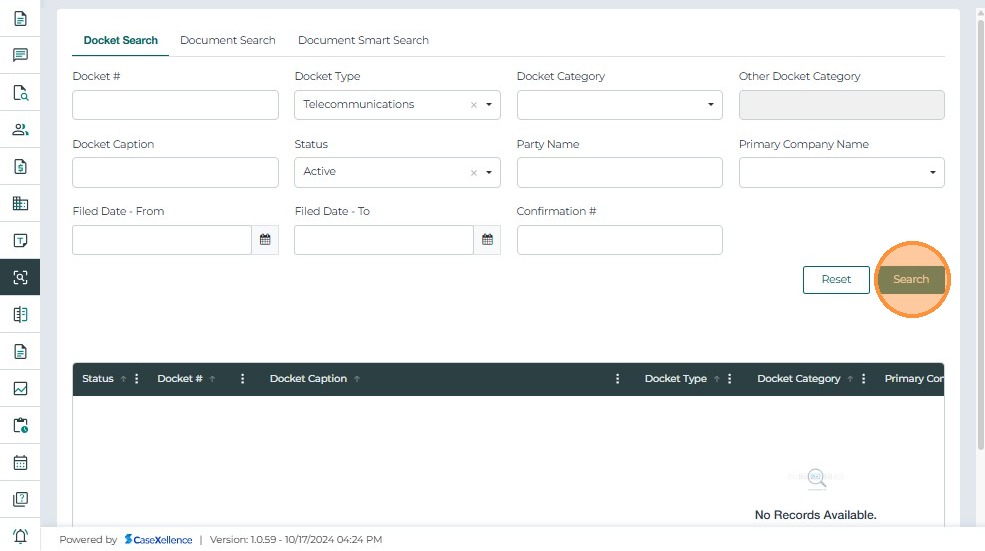
- The filtered search will list below
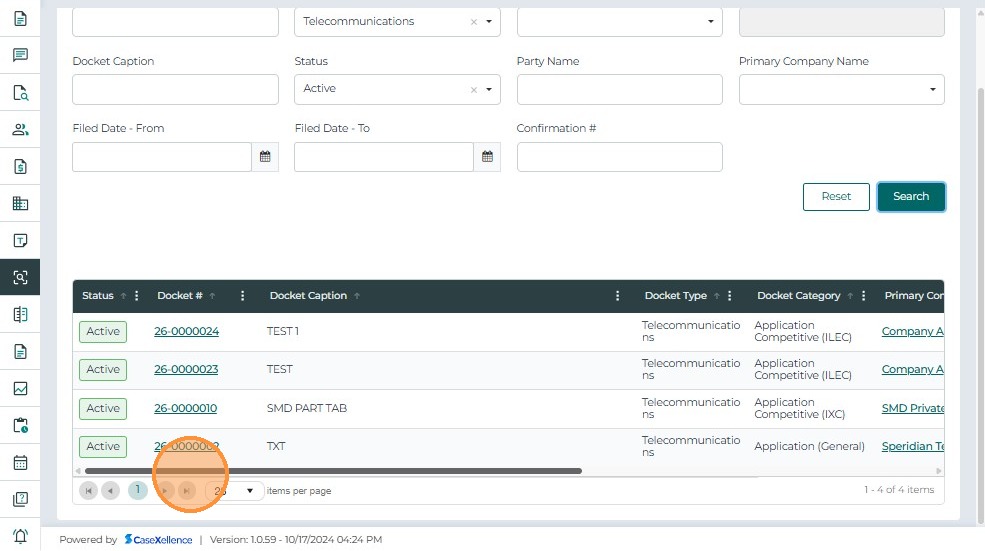
Results Grid Includes:
- Confirmation #, Docket #, Case Caption, Case Type / Category, Primary Company, Filed By / Date, Status
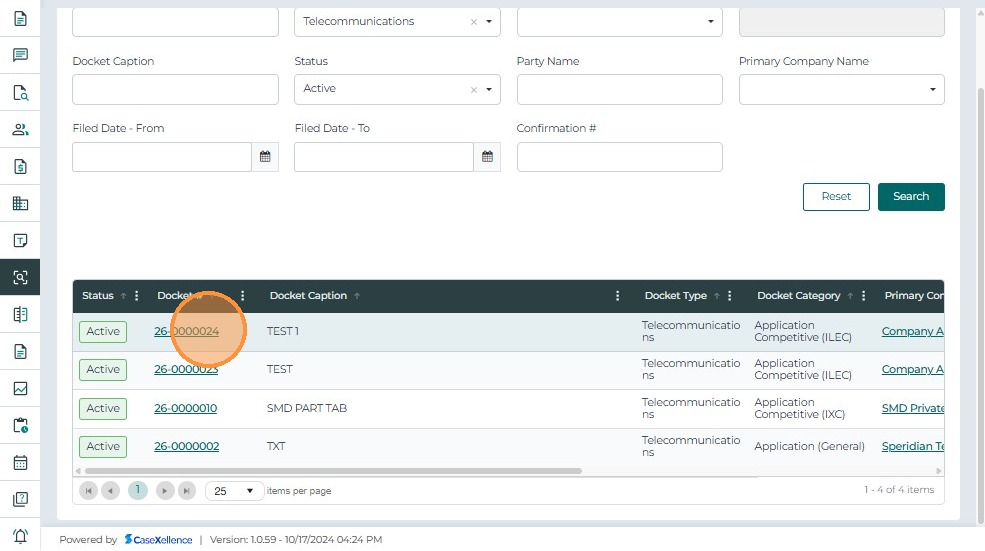
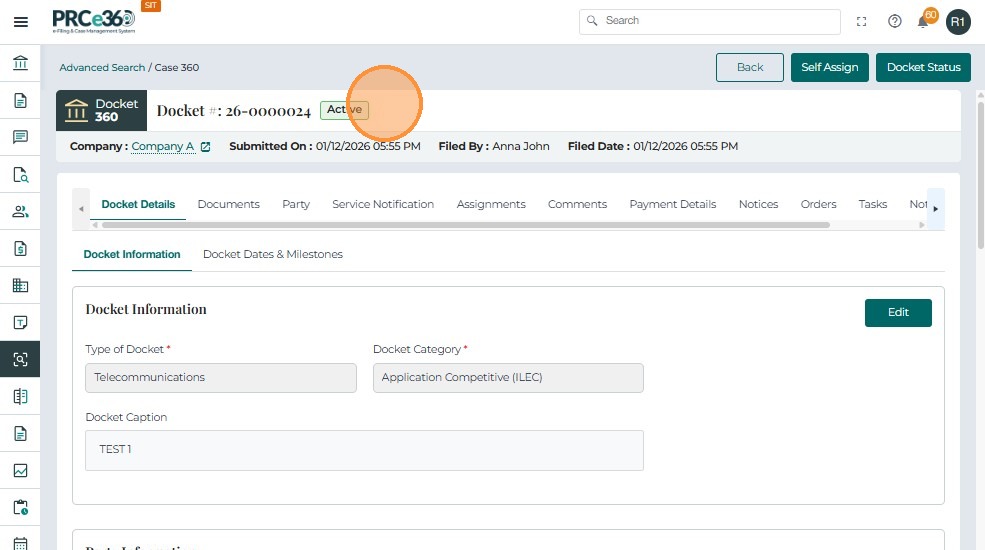
Click a Docket Number to open the case in Case 360 View
Use Reset to clear all filters
Document Search
This tab allows users to find documents based on various filters.
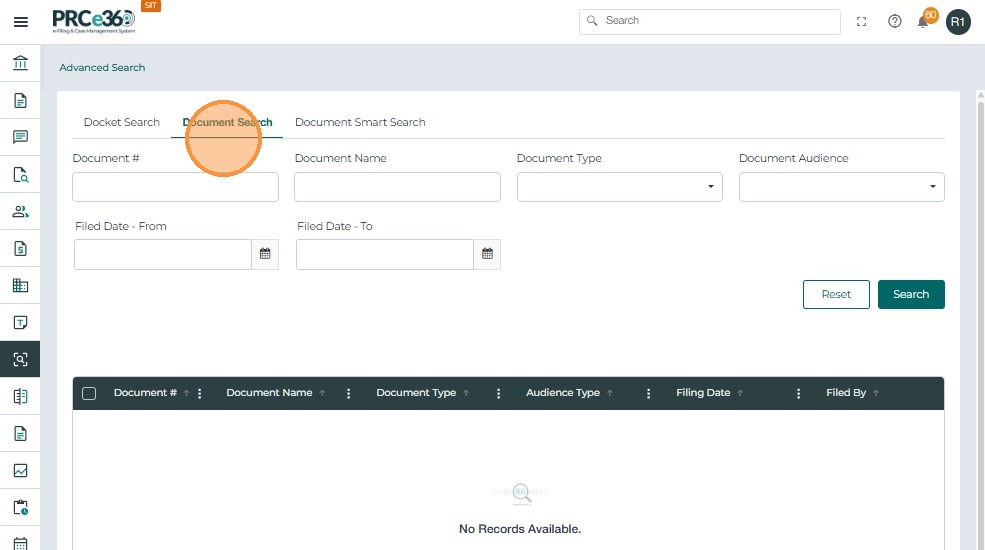
| Filter | Functionality |
|---|---|
| Document Name | Search by title or keywords. |
| Document ID | Search by exact document reference. |
| Document Type / Audience | Filter by type or visibility. |
| Filed Date | Filter by filing date. |
After selecting filters, click Search to display results.
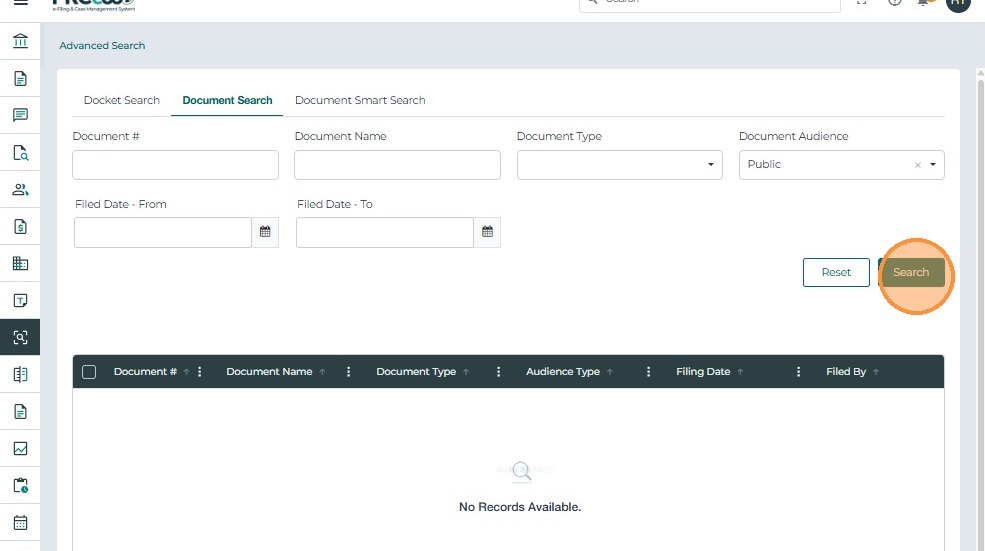
The filtered search will list below
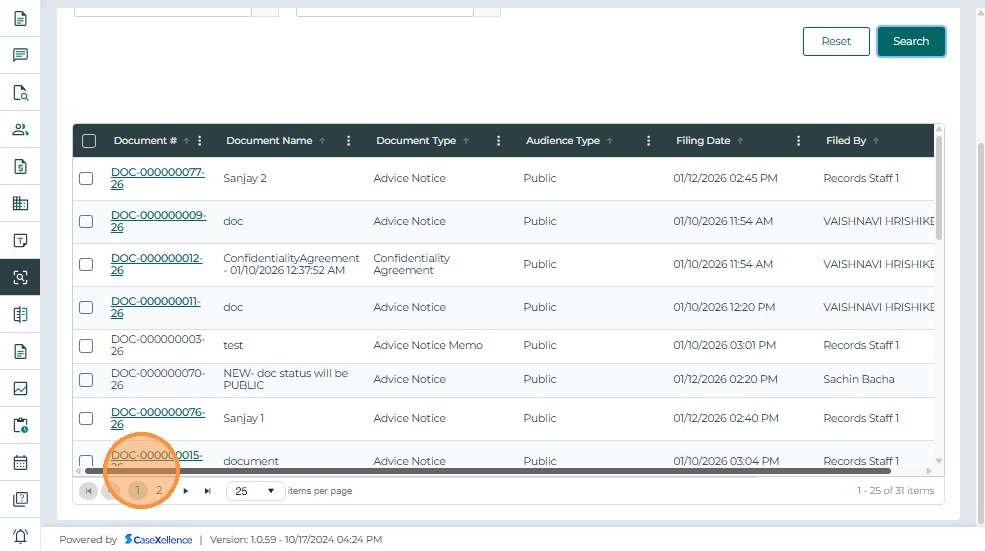
Results Grid Includes:
- Document #, Name, Type, Audience Type, Filed By, Filed Date
Click the Document Number to open the document view.
Use Reset to clear all filters
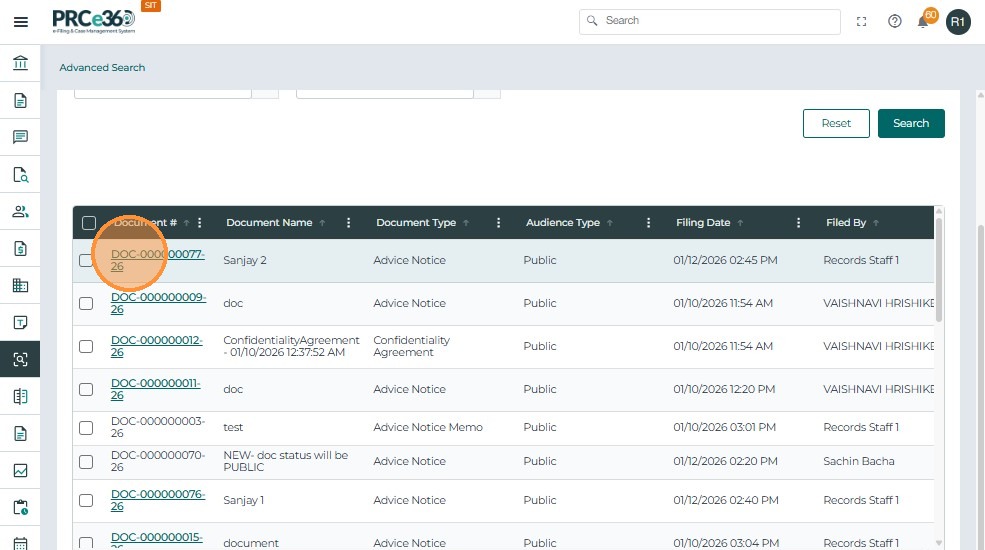
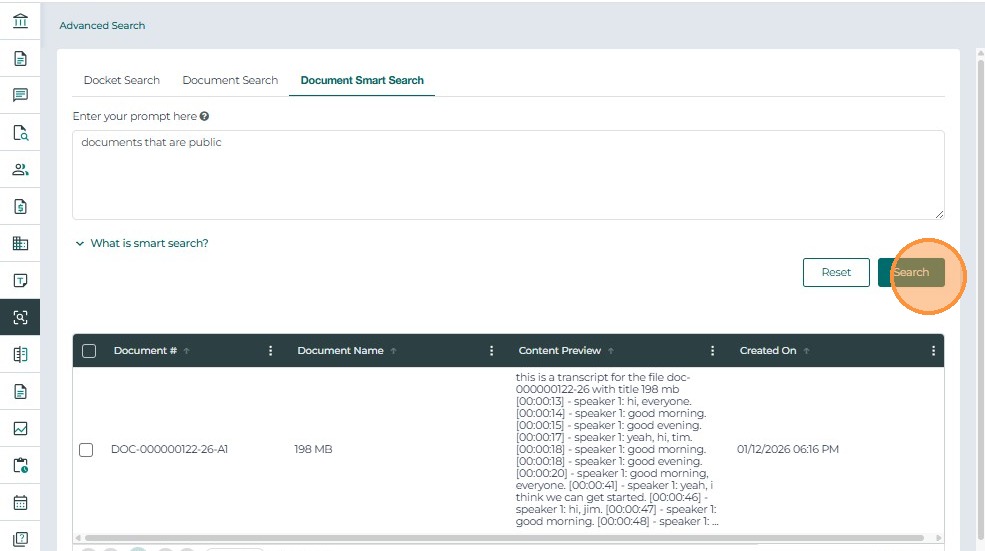
Document Smart Search
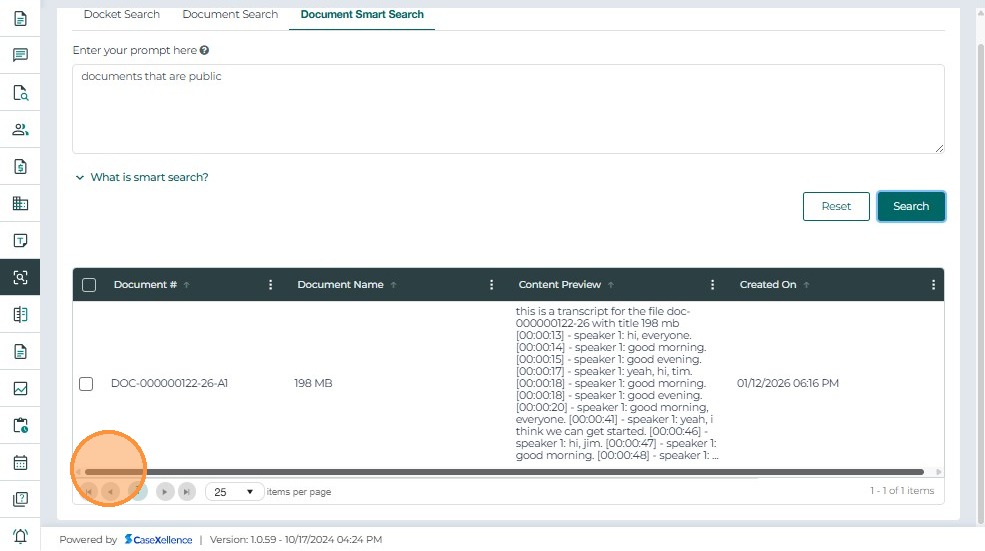
This tab allows the user to search for a document using a prompt
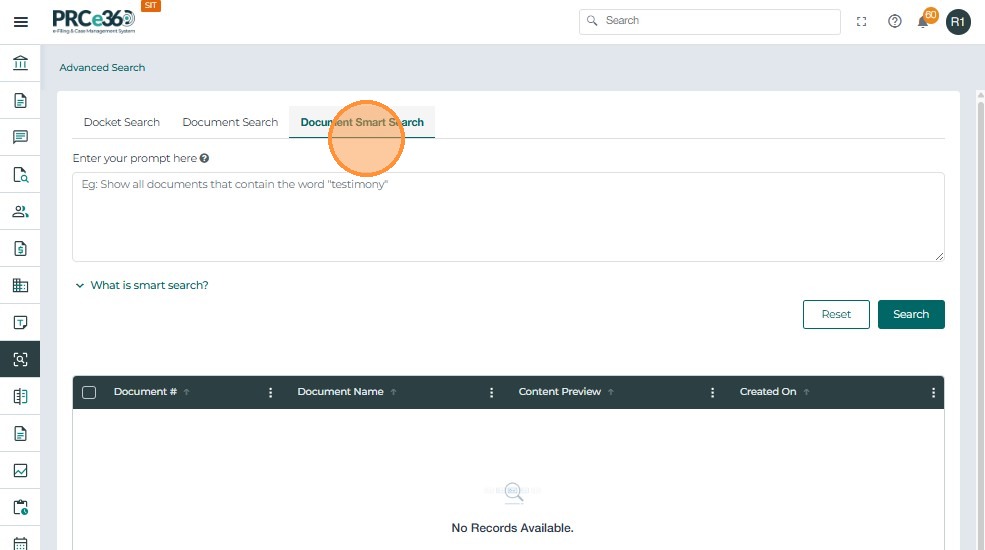
Click on Search once the prompt is given